
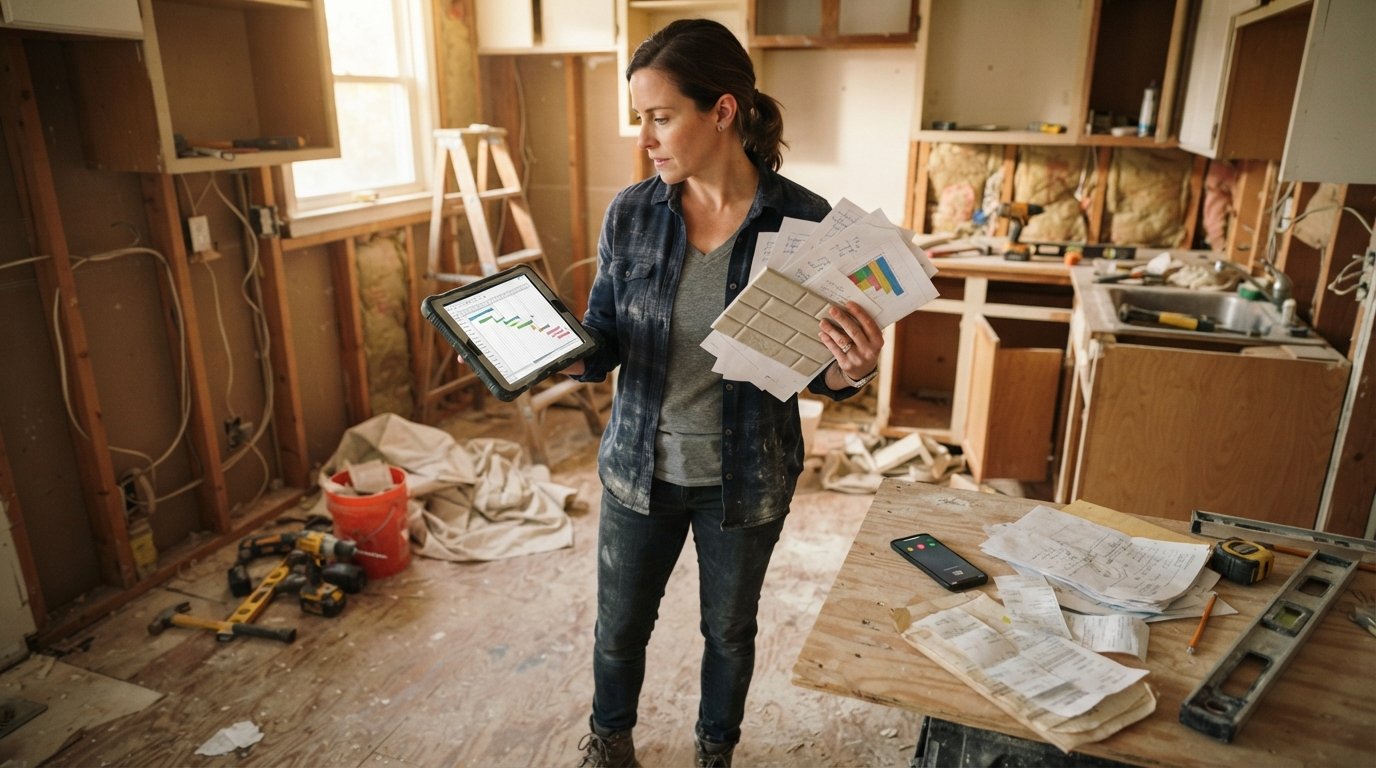
Project Management Software for Homeowners Managing a Renovation
Project management software for homeowners managing a renovation keeps budgets, schedules, and contractor chats in one place. Call (833)-365-8755 for help.

Learn more about Home Remodeling for guides, costs, and what to expect.
Compare Home Remodeling Pros Near You

Enter your ZIP code to compare top-rated local professionals and request free quotes.
You are standing in a half-demolished kitchen, holding three contractor bids, a permit application, and a receipt for tile you are not sure you will need. Your phone buzzes with a text from the electrician asking about the outlet placement, and you realize you forgot to tell the plumber the sink model changed. Renovations do not fail because homeowners lack vision; they fail because details slip through the cracks. Project management software for homeowners managing a renovation closes those cracks, turning chaos into a clear, shared plan that keeps your budget, schedule, and contractor communication in one place.
Why Homeowners Need Project Management Software for Renovation Chaos
A renovation is a temporary business with a fixed deadline and a tight budget. You are the project owner, the decision-maker, and often the purchasing agent. Without a system, information lives in text threads, email inboxes, paper receipts, and memory. When the general contractor asks for the final cabinet specification, you spend twenty minutes scrolling. When the tile setter arrives a day early, you are not home to unlock the door. These small failures compound into delays and change orders that cost real money.
Project management software for homeowners managing a renovation solves this by giving you a single source of truth. You can see what is done, what is next, and what it costs. Contractors can check the schedule without calling you five times a day. You can store permit documents and warranty information where you will actually find them later. The software does not replace your contractor's expertise; it replaces the sticky notes and frantic group texts that slow everyone down.
Research from construction industry groups consistently shows that poor communication is a leading cause of project delays and cost overruns. Homeowners are not exempt from this pattern. A simple shared calendar and task list can prevent the most common friction points: missed deliveries, forgotten inspections, and misordered materials. The good news is that you do not need enterprise software. You need a tool that fits the size of your project and your comfort with technology.
Free Versus Paid Tools for Budget and Task Tracking
The market for project management software ranges from free spreadsheet templates to subscription platforms built for professional builders. Homeowners often ask whether free tools are enough. The answer depends on the complexity of your renovation and how many people need access. A bathroom refresh with one contractor may run smoothly on a shared spreadsheet and a group chat. A whole-house remodel with a general contractor and six subcontractors demands more structure.
Free tools generally fall into three categories: spreadsheet templates, basic task apps, and free tiers of professional software. Spreadsheets are familiar and flexible, but they break down when multiple people edit them at once or when you need mobile access on a job site. Basic task apps like Trello or Asana offer boards and lists, but they lack budget tracking and document storage in one place. Free tiers of professional tools often limit the number of users or projects, which can be a problem if you want your contractor and designer to log in.
Paid tools typically add features that matter for renovations: shared calendars with notifications, photo storage with markup, budget dashboards that compare estimated versus actual costs, and document folders for permits and warranties. Subscription costs range from a few dollars per month for homeowner-focused apps to over a hundred dollars per month for professional construction management platforms. Before you pay, list the specific problems you need to solve. If your only pain point is remembering paint colors, a free note app is enough. If you are juggling forty decisions and a six-figure budget, a paid tool pays for itself by preventing one change order.
Here is a simple decision framework to choose between free and paid options:
- Choose free if your project is under $25,000, involves one or two contractors, and has a timeline shorter than two months.
- Choose a paid homeowner app if you have three or more contractors, a budget above $50,000, or a need to store permits and warranty documents in an organized way.
- Choose a professional construction platform only if your contractor already uses it or if you are acting as your own general contractor on a complex, multi-phase project.
Many homeowners land in the middle: they start with a free spreadsheet, then upgrade to a paid tool when the number of moving parts exceeds what a spreadsheet can handle. That is a reasonable path. The worst choice is using nothing and relying on memory. Even a shared digital document is better than a stack of paper on the kitchen counter.
What to Track in a Shared Calendar with Contractors
A shared calendar is the heartbeat of a renovation. When everyone sees the same schedule, you eliminate the "I thought you were coming Tuesday" problem. But not every event belongs on the calendar. Overloading it with noise makes it useless. Focus on milestones, dependencies, and access needs. A milestone is a major completion point, like rough plumbing inspection passed. A dependency is a task that cannot start until another finishes, like cabinet installation waiting on drywall. An access need is when someone must be home to unlock a door or receive a delivery.
Before you invite your contractor to a shared calendar, agree on what will be posted and who is responsible for updates. The general contractor should own the master schedule. You should own homeowner decisions, like selecting fixtures by a certain date. Subcontractors may only need to see their own windows. Most software allows you to share a view-only link or invite specific people with limited permissions. Use that feature to avoid accidental edits.
Here are the essential items to track in a shared renovation calendar:
- Start and end dates for each trade (demolition, framing, plumbing, electrical, drywall, flooring, paint, trim). Include a buffer for inspection windows.
- Material delivery dates for large items like cabinets, windows, and appliances. Note who will receive the delivery and where it will be stored.
- Inspection and permit appointments with the city or county. Missing one can stall the project for days.
- Homeowner decision deadlines for selections like tile, paint, and hardware. Contractors need lead time to order.
- Payment milestones tied to completion stages, not just dates. This keeps your budget aligned with progress.
Once the calendar is set, review it together at the end of each week. A fifteen-minute call or a shared note can catch conflicts before they become crises. If a delivery is delayed, the calendar shows immediately which trades are affected. If an inspection fails, you can reschedule the dependent tasks without a dozen phone calls. This is the practical value of project management software for homeowners managing a renovation: it turns a reactive scramble into a proactive plan.
Photo and Document Storage for Warranty and Permit Records
Renovation paperwork multiplies quickly. You will accumulate permits, inspection reports, contractor licenses, insurance certificates, product manuals, warranty cards, and receipts. Years later, when a faucet leaks or a roof shingle fails, you will need those documents. Paper files get lost or water-damaged. Email attachments get buried. Cloud storage solves this, but only if it is organized and accessible from your phone when you are standing in front of the problem.
Project management software with photo and document storage gives you a dedicated place for every file. Create folders by category: Permits, Contracts, Warranties, Receipts, and Photos. Name files with dates and descriptions so you can search later. For photos, take pictures at every stage: before demolition, during rough-in, after insulation, and at final completion. These photos are invaluable for future renovations, insurance claims, and resale disclosures. They also help you remember where you buried that drain line or electrical junction box.
When you store documents digitally, you also protect yourself in disputes. If a contractor claims they installed the specified material, you can check the photo from delivery day. If a warranty requires proof of purchase, you have the receipt in seconds. Some software allows you to annotate photos with notes or arrows, which is helpful when you need to show a contractor exactly where a crack appeared. The key is consistency: upload files the same day you receive them, and use a naming convention that makes sense to you.
If you are working with multiple contractors, consider giving them limited access to relevant folders. For example, the plumber may need the fixture specification sheet, but not your financial records. Most tools let you set permissions by folder or file. This keeps sensitive information private while ensuring everyone has what they need. Over time, your digital archive becomes a valuable record of your home's history, useful for resale, refinancing, or future upgrades.
When Software Is Overkill for a Small Job
Not every renovation needs a digital command center. If you are replacing a toilet, painting a bedroom, or installing a new light fixture, a full project management platform is unnecessary. The setup time and learning curve may exceed the time you spend on the job. For small, single-trade projects with a clear scope, a simple checklist on paper or a notes app is sufficient. The goal is to reduce stress, not add a new task to your list.
Signs that software is overkill include: the project involves one contractor and no subcontractors, the timeline is under two weeks, the budget is under $5,000, and you do not need to coordinate deliveries or inspections. In these cases, a written contract, a payment schedule, and a few text messages may be all you need. Save the software for projects where coordination complexity outweighs the setup effort.
That said, even small jobs benefit from basic documentation. Take before and after photos, keep the receipt, and save the contractor's license number. You can do this with a free cloud photo album and a digital note. The principle is proportional response: match your tools to the size of the job. As your renovation scope grows, upgrade your system. This graduated approach prevents overwhelm and ensures you actually use the software you choose.
If you are planning a larger renovation and need help finding the right contractors to plug into your new system, our guide to the change order process explains how to manage scope changes without losing control of your budget. And when you are ready to compare bids and hire professionals, ContractorHomeQuotes offers free estimate tools and contractor selection advice to help you make informed decisions.
Choosing the Right Software for Your Renovation Style
The best software is the one you will actually use. Before you commit, try a free trial or a free tier. Invite your contractor to test it with you. If they find it confusing, they will not use it, and your shared system collapses. Look for mobile apps with offline access, since job sites often have poor cell service. Check whether the tool supports photo uploads from your phone camera, because that is how you will capture progress. And confirm that you can export your data if you decide to switch later.
Consider your own workflow. Are you a list-maker who likes checking off tasks? A visual person who prefers Gantt charts? A numbers person who wants budget dashboards? Most tools offer multiple views, but some specialize. Homeowner-focused apps tend to be simpler and cheaper, while professional construction platforms are more powerful but require training. Read reviews from other homeowners, not just contractors. The needs are different.
Finally, think about the end of the project. Will you keep using the software for home maintenance reminders? Some tools let you set recurring tasks for HVAC filters, gutter cleaning, and smoke detector checks. That extends the value beyond the renovation. If the software becomes your home's operating manual, it earns its subscription fee. If it is only useful for eight weeks, choose a free or low-cost option. Either way, the act of organizing your renovation with project management software for homeowners managing a renovation pays dividends in fewer surprises and a smoother build.
Start small, stay consistent, and let the software handle the details so you can focus on the decisions that make your renovated home feel like yours.